
RapidClaw vs Self-Hosting OpenClaw: The Real Cost Breakdown
Self-hosting OpenClaw looks cheaper on paper. Here's what it actually costs when you factor in time, debugging, and maintenance.
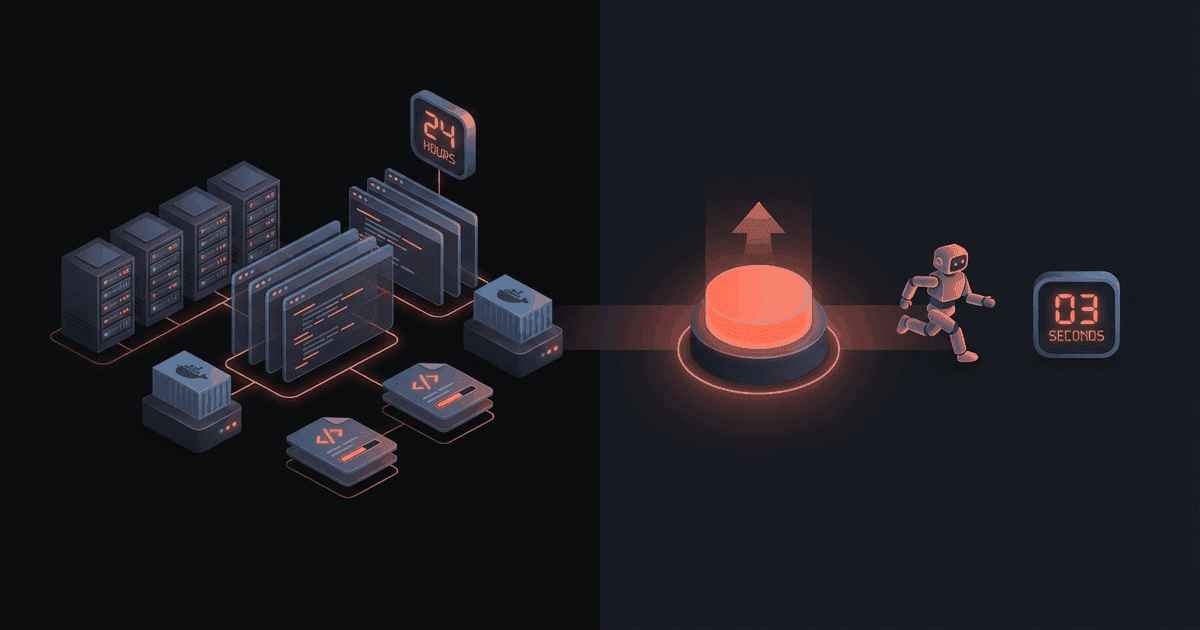
Reading about AI agents? RapidClaw gives you one that lives in Telegram & Discord, remembers everything, and runs your day — live in 60s, from $19/mo.
Get started"I'll just host it myself. How hard can it be?"
I said this exact sentence before spending a weekend setting up OpenClaw on a Hetzner VPS. The server cost $11/mo. The weekend cost me a lot more.
Self-hosting OpenClaw is absolutely possible. It's open source, well-documented, and runs in Docker. But there's a gap between "possible" and "practical" that most comparison articles skip over. They compare monthly server costs and call it a day.
I'm going to compare the real cost. Every hour of setup, every debugging session, every 2am alert you have to deal with. Then you can decide for yourself.
The Quick Comparison#
| Factor | RapidClaw | Self-Hosting |
|---|---|---|
| Monthly server cost | $19-69/mo | $10-20/mo |
| AI API keys | Included | $10-30/mo (your own) |
| Setup time | ~1 minute | 4-6 hours (first time) |
| Docker required | No | Yes |
| SSL/HTTPS | Included | You configure (Traefik/Caddy) |
| Backups | Automatic daily (S3) | You script it |
| Monitoring | Built-in + auto-restart | You build it |
| Updates | Automatic | Manual git pull + rebuild |
| Telegram setup | One-click connect | Manual config editing |
| Templates | 3 built-in, more coming | Write your own |
| Multi-model AI | GPT-4o, Claude, Gemini, NVIDIA | Whatever you configure |
| Custom skills | Coming soon | Full access now |
| Max agents | 1-5 (per plan) | As many as RAM allows |
What Self-Hosting Actually Involves#
I'm going to walk through every step because most guides gloss over the painful parts.
Step 1: Get a Server ($11-20/mo)#
You need a VPS with at least 4GB of RAM. OpenClaw's Node.js process eats about 350MB of heap per agent, and the Docker image is 1.3GB. With the OS, Docker daemon, and one agent, you're using about 2.5GB.
Good options:
- Hetzner CPX21: 3 vCPU, 4GB RAM, 80GB disk -- $11/mo
- DigitalOcean: 2 vCPU, 4GB RAM, 80GB disk -- $24/mo
- Vultr: 2 vCPU, 4GB RAM, 80GB disk -- $24/mo
Hetzner is the cheapest by far. DigitalOcean and Vultr charge roughly double for the same specs. I use Hetzner.
Time: 15 minutes (account creation, VPS provisioning, SSH key setup)
Step 2: Install Docker#
SSH into your server and install Docker. On Ubuntu:
apt update && apt install -y docker.io docker-compose-pluginUsually takes 5 minutes. Sometimes there are GPG key issues, repository conflicts, or version mismatches. I've spent 45 minutes debugging Docker installation exactly once. Hopefully you won't.
Time: 5-45 minutes
Step 3: Build the OpenClaw Image#
git clone https://github.com/nicepkg/openclaw.git
cd openclaw
docker build -t openclaw:local -f Dockerfile .
The build takes 5-10 minutes depending on your VPS specs. The resulting image is about 1.3GB. If anything fails in the multi-stage build (npm install errors, missing system deps), you're debugging Dockerfile issues. That's its own skill set.
Time: 10-30 minutes
Step 4: Configure Your Agent#
This is where it gets involved. You need to create:
openclaw.json: LLM provider config, Telegram bot token, model settings, skill permissionsSOUL.md: Your agent's personality and behavior rulesdocker-compose.yml: Container config with volume mounts, port mapping, memory limits, healthcheck
The openclaw.json configuration is particular. You need to provide a full provider object -- you can't just set individual fields. The validation rejects partial objects. I learned this the hard way by trying to set just the API key and getting cryptic errors.
For Telegram, you need to:
- Create a bot via @BotFather
- Copy the token
- Add it to your config
- Set the allowed users (or open it up)
- Configure polling or webhook mode
For your LLM provider, you need an API key from OpenAI, Anthropic, Google, or another provider. That's another account to create and another bill to track.
Time: 1-2 hours (if you've done it before), 2-4 hours (first time)
Step 5: SSL and Reverse Proxy#
Your agent needs HTTPS. Telegram requires it for webhooks. Even if you use polling mode, you probably want your health endpoints secured.
Options:
- Traefik: Automatic Let's Encrypt certs, Docker-aware routing. Config is powerful but opaque.
- Caddy: Simpler config, automatic HTTPS. Less Docker-native.
- Nginx + Certbot: The classic. More manual, more control.
I use Traefik with wildcard SSL certs through Cloudflare DNS. It took me 3 hours to get right the first time. The ACME challenge configuration, the dynamic file provider, the label syntax -- it's a lot of moving parts.
Time: 1-3 hours
Step 6: Monitoring and Auto-Restart#
OpenClaw doesn't come with monitoring. If your agent's container crashes at 2am (and containers do crash), you won't know until you check.
At minimum, you want:
- Docker healthcheck in your compose file
docker-autohealor a systemd timer to restart unhealthy containers- Some way to get alerted (email, Telegram message to yourself)
I ended up building a three-layer monitoring system: docker-autoheal for instant restarts, a systemd timer for infrastructure checks, and health endpoints for detailed status. It took about 4 hours to build and test. And I still had a restart loop bug that took another 2 hours to diagnose (the healthcheck URL was returning 503 because I pointed it at the wrong endpoint).
Time: 2-6 hours
Step 7: Backups#
If your VPS dies, your agent's memory and workspace are gone unless you've set up backups.
A basic backup script:
# Dump agent workspace to S3
tar czf /tmp/openclaw-backup.tar.gz /data/openclaw/
aws s3 cp /tmp/openclaw-backup.tar.gz s3://your-bucket/backups/
Add a cron job, test the restore process, and you're set. But "test the restore process" is the part most people skip.
Time: 1-2 hours
Step 8: Ongoing Maintenance#
This never ends. Every month or two:
- OpenClaw releases an update. You git pull, rebuild the image, restart the container.
- Docker needs updating. Sometimes the CLI version doesn't match the daemon.
- Disk fills up from Docker images and logs. You prune.
- SSL certs renew (usually automatic, sometimes not).
- Something breaks and you debug.
Budget 1-2 hours per month for maintenance. Some months it's zero. Some months it's 5 hours because an update broke something.
Time: 1-2 hours/month ongoing
The Real Cost Over 6 Months#
Let's put numbers on this. I'll assume your time is worth $50/hour. Adjust to your own rate.
| Cost Category | RapidClaw ($19/mo) | Self-Hosting |
|---|---|---|
| Platform/server (6 months) | $114 | $66 |
| AI API keys (6 months) | Included | $60-180 |
| Initial setup (one-time) | ~$0 (1 min) | $200-500 (4-10 hrs) |
| Monitoring setup (one-time) | Included | $100-300 (2-6 hrs) |
| Backup setup (one-time) | Included | $50-100 (1-2 hrs) |
| Ongoing maintenance (6 months) | $0 | $300-600 (6-12 hrs) |
| 6-month total | ~$114 | ~$776-1,746 |
On paper, self-hosting saves $8/mo on server costs. In reality, it costs 7-15x more when you factor in your time.
Now -- this math only works if you actually value your time at $50/hr. If you're a student learning Docker, the time is educational. If you enjoy infrastructure tinkering, the time is entertainment. If you need full control and custom skills, the flexibility is worth it.
But if you're a consultant billing at $100-200/hr and you just want an AI agent that works? Spending 10+ hours on self-hosting is burning $1,000-2,000 of billable time to save $8/mo.
What RapidClaw Handles For You#
Everything in that self-hosting walkthrough. Specifically:
- Container management: Each agent gets an isolated Docker container with dedicated resources
- SSL: Automatic. Traefik with wildcard certs. You never think about it.
- Backups: Daily automatic backups to S3. Database and workspaces.
- Monitoring: Health checks with auto-restart. If your agent crashes, it comes back with full configuration re-injected.
- AI routing: Multi-model smart routing (GPT-4o, Claude, Gemini, NVIDIA NIM). Credits included.
- Updates: We update the OpenClaw image, recycle the pool, your agent gets the new version on next restart.
- Templates: Pre-built agent configurations for common use cases. Morning briefing, research assistant, accountability coach.
- Telegram/Discord: One-click connection. No manual config editing.
What RapidClaw doesn't do (yet):
- Custom OpenClaw skills (coming soon)
- SSH access to your container
- More than 5 agents on the highest plan
- Self-hosted LLM models
The Hidden Costs Nobody Mentions#
There are costs to self-hosting that don't show up in any comparison table.
Context switching. Every time your agent breaks and you have to SSH in to debug, that's not just the 30 minutes of debugging. It's the mental context switch from whatever you were doing. If you were in the middle of a consulting engagement or a deep work session, the real cost is the disrupted flow state.
Decision fatigue. Self-hosting means constant small decisions. Which Docker image tag? Which LLM provider? Which monitoring stack? Traefik or Caddy? Cron or systemd timer? Each decision is small, but they add up. With a managed service, those decisions are made for you.
Opportunity cost. The 10-20 hours you spend on self-hosting setup and maintenance over 6 months -- what else could you have done with that time? If you're a consultant, that's billable hours. If you're a founder, that's time not spent on your product or customers.
I'm not saying self-hosting is always wrong. For some people, the learning and control are genuinely valuable. But be honest with yourself about why you're doing it. If it's to save $8/mo, the math doesn't work. If it's because you enjoy infrastructure, that's a perfectly valid reason.
The Verdict#
Self-hosting makes sense if:
- You're a developer who enjoys ops work
- You need custom skills or deep customization
- You want to run more than 5 agents
- Your time is genuinely free (student, hobbyist)
- You want to learn Docker and infrastructure
RapidClaw makes sense if:
- You want an AI agent, not a DevOps project
- Your time has a dollar value
- You want it working in 60 seconds
- You don't want to think about SSL, backups, or monitoring
- You're fine with the template-based approach
My honest recommendation: start with RapidClaw. Use the agent daily for a month. If you find yourself hitting limitations -- if you need custom skills, more agents, or just want more control -- self-host at that point. You'll know exactly what configuration you want because you've been using it.
Don't spend a weekend setting up infrastructure for an agent you haven't validated you'll actually use.
Frequently Asked Questions#
How long does it really take to self-host OpenClaw?#
First-time setup: 4-10 hours depending on your Docker experience. If you've done it before, 2-3 hours. The biggest time sinks are SSL configuration and troubleshooting container issues.
Is self-hosting OpenClaw secure?#
As secure as you make it. You're responsible for firewall rules, SSH hardening, Docker security, SSL configuration, and keeping dependencies updated. On RapidClaw, we handle all of that.
Can I switch from RapidClaw to self-hosting?#
Yes. Your agent's configuration (personality, cron jobs, memory) can be moved to a self-hosted instance. OpenClaw is open source -- there's no proprietary format.
What if RapidClaw goes down?#
We have auto-restart with configuration re-injection, daily S3 backups, and health monitoring. If a container dies, it's restarted automatically. If the entire VPS has issues, we restore from backup. Your agent's memory and workspace are preserved.
Do I need to know Docker to use RapidClaw?#
No. You don't touch Docker, terminals, config files, or any infrastructure. Pick a plan, choose a template, connect Telegram, done. That's the whole point.
How much does the AI API key cost for self-hosting?#
Depends on usage. OpenAI's GPT-4o costs about $2.50-10/million input tokens. For a personal agent handling 50-100 conversations a month, expect $5-30/mo in API costs. On RapidClaw, AI credits ($7-30/mo depending on plan) are included, and smart routing uses cheaper models when possible.
Can I run OpenClaw on a Raspberry Pi?#
Technically yes, but it's not practical. OpenClaw needs ~700MB-1GB of RAM per agent, and ARM builds aren't officially supported. A cheap VPS is a better choice.
What VPS provider do you recommend for self-hosting?#
Hetzner. Their CPX21 (3 vCPU, 4GB RAM) costs $11/mo -- roughly half the price of DigitalOcean or Vultr for equivalent specs. Data centers in Germany, Finland, and the US (Ashburn, VA).
Give the busywork to an agent that remembers you
RapidClaw deploys your personal AI agent to Telegram & Discord in 60 seconds — it learns your world, briefs you every morning, and gets smarter every day. Credits included, no API keys, no servers.
Get started — from $19/moRelated Posts
How to Build a Custom AI Agent That Actually Works (Grok vs Self-Hosted)
You searched 'how to build a custom AI agent in Grok.' Here's what works, what doesn't, and why 60% of builders end up self-hosting. A practical comparison with real setup steps.
Your AI Agent Stack Replaces $2,400/Month in SaaS. Here's the Math.
A typical 10-person team spends $2,400/month on SaaS subscriptions that AI agents can replace for under $200/month. Here's the line-item breakdown showing exactly which tools get replaced and what the agent alternative costs.
Best OpenClaw Hosting Providers 2026 — Compared
We compared 10 managed OpenClaw hosting providers on price, setup time, AI credits, and features. Here's which one is best for your use case.
Stay in the loop
New use cases, product updates, and guides. No spam.