
How to Build a Custom AI Agent That Actually Works (Grok vs Self-Hosted)
You searched 'how to build a custom AI agent in Grok.' Here's what works, what doesn't, and why 60% of builders end up self-hosting. A practical comparison with real setup steps.
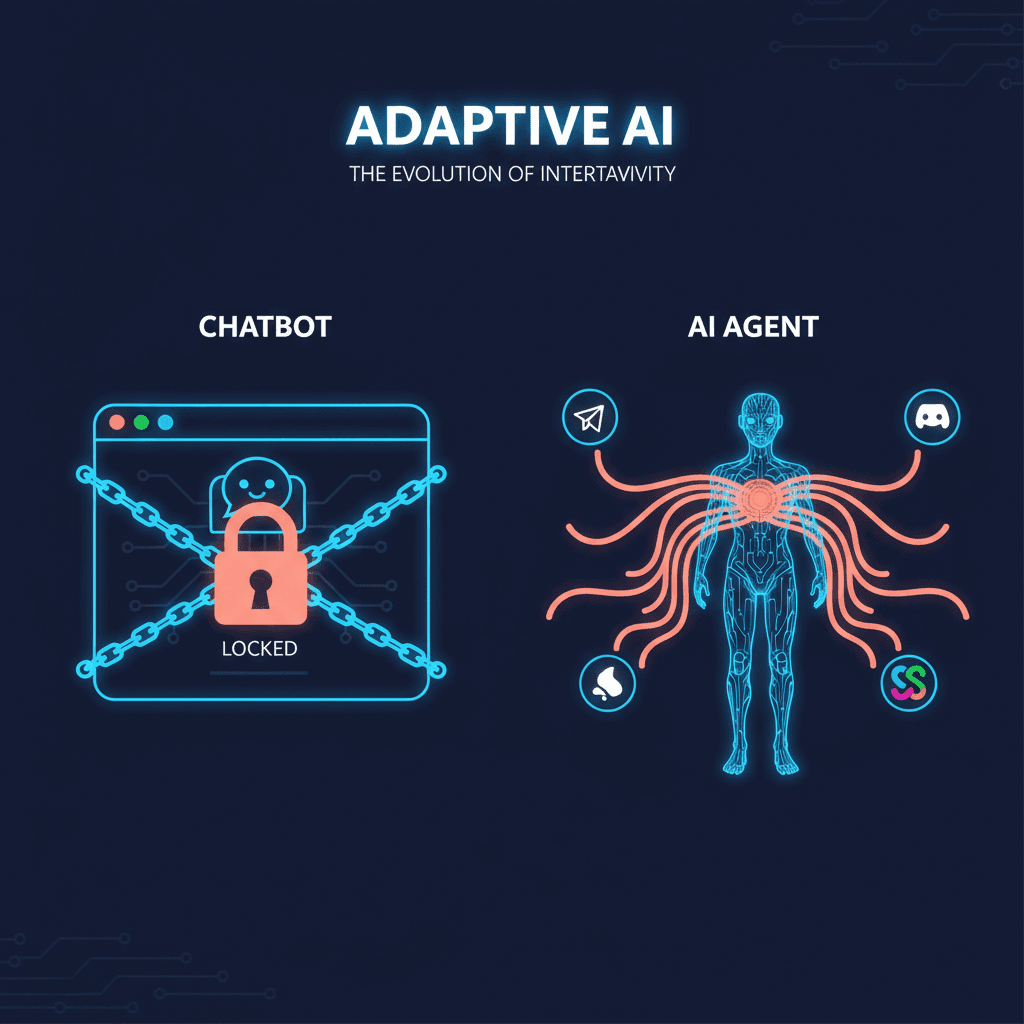
Reading about AI agents? RapidClaw gives you one that lives in Telegram & Discord, remembers everything, and runs your day — live in 60s, from $19/mo.
Get startedIf you googled "how to build a custom AI agent," you probably landed on a Grok tutorial. Here's what they didn't mention.
Grok's custom agent builder, launched March 4, 2026, makes it easy to spin up an AI agent in minutes. You name it, write instructions, and it runs inside grok.com. The marketing is clean. The onboarding is fast. And for about 60% of builders, it's also the last time they use the platform before switching to something self-hosted.
That's not a knock on Grok. It's a reflection of what happens when builders discover the gap between a demo agent and a production agent -- between something that answers questions in a browser tab and something that manages your morning briefings, triages your email, and runs 24/7 in Telegram while you sleep.
This piece walks through both paths. What Grok custom agents actually are. What they can't do. How to build a custom AI agent that deploys to a messaging platform. And when each approach is the right call.
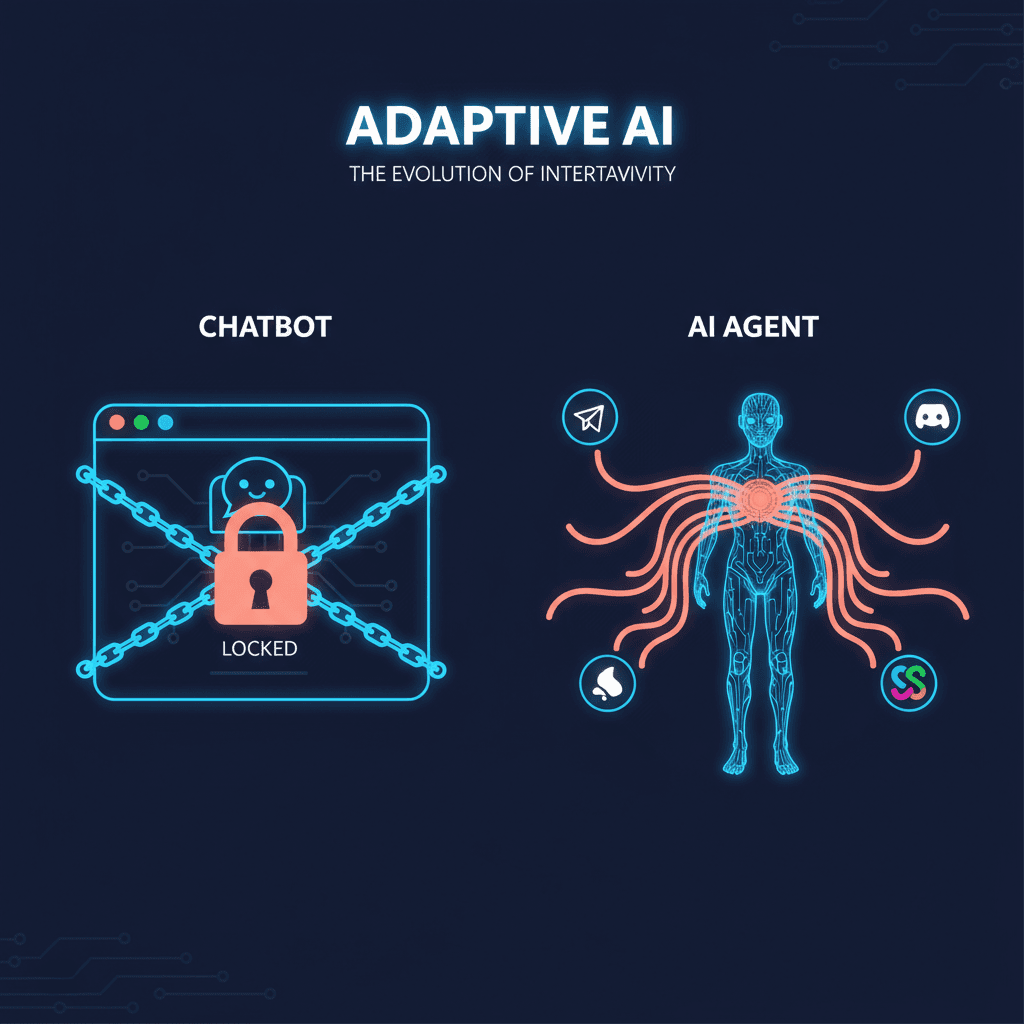
What Grok custom agents actually are#
Grok's agent builder lets you create specialized AI agents inside the Grok platform. You define a name, a role description, and a set of instructions. The agent then operates under those instructions when you interact with it through grok.com or the X app.
The feature launched with support for up to 4 custom agents per SuperGrok subscriber ($30/month) and 16 agents on the Heavy tier ($300/month). Each agent gets a 4,000-character instruction limit -- down from the 12,000 characters xAI initially tested during beta. The reduction suggests xAI hit scaling constraints or quality degradation at longer instruction lengths.
Credit where it's due: Grok has two genuine advantages that no competitor matches.
First, native X/Twitter firehose access. Grok agents can query real-time social data natively. No API keys, no third-party scrapers, no rate limits beyond your subscription tier. For social monitoring, sentiment analysis, and trend tracking, this is a structural advantage. We covered this in depth when the feature first launched.
Second, the API. Grok's API is OpenAI-compatible with support for multi-agent orchestration -- 4 parallel agents on SuperGrok, 16 on Heavy -- with a 2-million-token context window. For researchers building multi-agent systems, this is genuinely useful infrastructure.
The builder itself is consumer-friendly. Non-technical users can create a working agent in under five minutes. It's closer to OpenAI's GPTs model than to a developer framework. That's a deliberate choice, and for quick prototyping, it works.
The 5 things Grok custom agents can't do#
The gap between Grok's builder and a production agent becomes clear when you try to use one for real work.
1. No persistent memory between sessions. When you close the tab and come back, your Grok agent doesn't remember what you discussed yesterday. There's no structured context that persists across sessions. Every conversation starts from scratch. Compare this to self-hosted agents running on platforms like OpenClaw, where SQLite-backed memory stores conversation history, user preferences, and extracted context indefinitely. Memory is what separates an agent that gets smarter every day from one that stays generic forever.
2. No messaging platform deployment. Grok agents live on grok.com and inside the X app. They don't deploy to Telegram, Discord, Slack, or any external messaging platform. You have to go to the agent. The agent doesn't come to you. This is the fundamental difference between a dashboard tool and an always-on assistant. Data from the broader agent ecosystem consistently shows that agents deployed in messaging platforms see 3-5x higher daily interaction rates compared to dashboard-based agents.
3. No external integrations. No Slack. No Notion. No Gmail. No Google Calendar. No CRM. Grok agents can't connect to the tools where your actual work happens. They can research and respond within the Grok ecosystem, but they can't close the loop on multi-platform workflows. An agent that can tell you about your schedule but can't actually read your calendar is a parlor trick.
4. Locked to xAI models. Grok agents run on Grok 3. You can't swap in Claude for reasoning tasks, GPT for coding, Gemma for on-device processing, or Llama for cost optimization. Self-hosted agents are model-agnostic by design. When a new model drops that's better at your use case, you switch. With Grok, you wait for xAI to catch up.
5. 4,000-character instruction limit. Four thousand characters is roughly 600 words. That's enough for a simple persona and basic rules. It's nowhere near enough for the kind of detailed operational instructions that production agents need -- specific escalation procedures, multi-step workflow definitions, integration-specific formatting rules, or domain knowledge that shapes every response. Self-hosted agents have no practical instruction limit.
How to build a custom AI agent that deploys to Telegram#
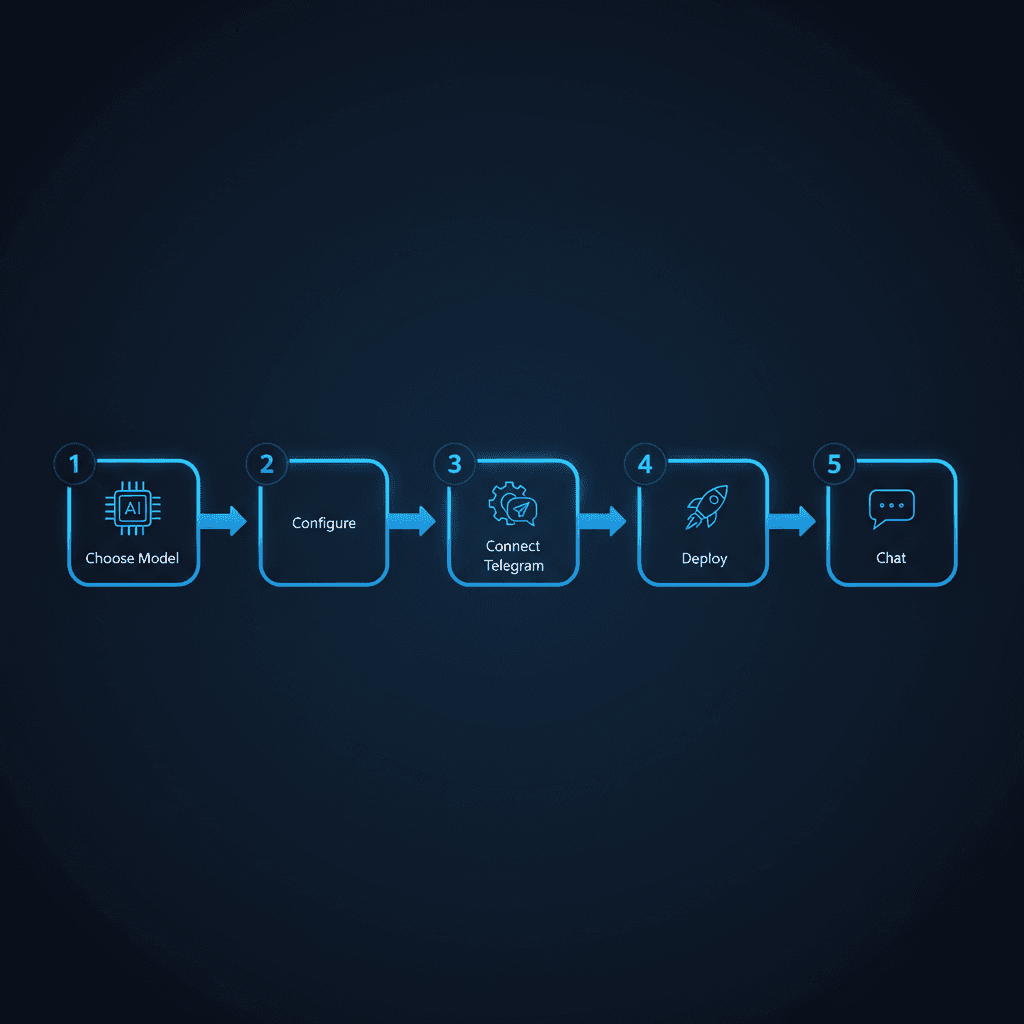
The self-hosted path takes more setup than Grok's five-minute builder. But it produces an agent that runs 24/7 in a messaging app, remembers everything, connects to external tools, and costs less per month. Here's the practical walkthrough.
Step 1: Choose your agent framework. OpenClaw is the dominant open-source option with over 100,000 GitHub stars. It handles the core agent loop -- receiving messages, routing to the right model, managing memory, executing skills -- so you don't build that infrastructure from scratch. Alternatives exist (LangGraph, CrewAI, AutoGen), but OpenClaw has the largest community and the most battle-tested deployment patterns.
Step 2: Define your agent's identity and skills. This is the equivalent of Grok's instruction field, except without the 4,000-character ceiling. You write a SOUL.md file (or equivalent configuration) that defines your agent's personality, expertise areas, communication style, and operational rules. You add skills -- modular capabilities like email triage, calendar management, research synthesis, or morning briefings -- that the agent can invoke based on context. There is no character limit. Your agent's instructions can be as detailed as your use case requires.
Step 3: Configure memory and persistence. Self-hosted agents use SQLite (or Postgres) to store conversation history, extracted context, and structured memory. This is what makes your agent actually learn. After a week of conversations, the agent knows your communication preferences, your project names, your team members, your priorities. After a month, it starts anticipating what you need. This is the capability that people who stopped using ChatGPT for a dedicated agent cite most often as the reason they switched.
Step 4: Connect a messaging platform. Register a Telegram bot via BotFather, add the token to your agent's configuration, and the agent goes live in your Telegram. Messages you send in Telegram route to the agent. Responses come back in Telegram. The agent is always on, always available, and lives in the same app where you already communicate. Discord and Slack work similarly with their respective bot APIs.
Step 5: Deploy and run. You have two options here. Self-host on a VPS (Hetzner, DigitalOcean, or similar) for maximum control and the lowest ongoing cost -- typically $5-15/month for the server. Or use a managed platform like RapidClaw that handles the infrastructure, updates, and monitoring so you skip the DevOps. Managed platforms provision in under 60 seconds and handle the container orchestration, model routing, and uptime monitoring that you'd otherwise maintain yourself.
The total setup time for the self-hosted path is 30-60 minutes if you're technical, or under 2 minutes on a managed platform. Either way, the result is an agent that runs 24/7, remembers your context, deploys to your messaging app, and costs 60-80% less than a $30/month Grok subscription for comparable functionality.
Head-to-head comparison#
| Feature | Grok Custom Agents | Self-Hosted (OpenClaw) | ChatGPT GPTs |
|---|---|---|---|
| Max agents | 4 (SuperGrok) / 16 (Heavy) | Unlimited | Unlimited |
| Instruction limit | 4,000 characters | No limit | 8,000 characters |
| Persistent memory | No | Yes (SQLite) | Limited (MyGPT memory) |
| Messaging deploy | No (grok.com / X only) | Telegram, Discord, Slack | No (chat.openai.com only) |
| External integrations | X/Twitter only | Gmail, Calendar, Notion, Slack, 60+ | Limited (GPT Actions) |
| Model choice | Grok 3 only | GPT, Claude, Gemma, Llama, any | GPT-4o only |
| X/Twitter data | Native firehose | Via API (rate-limited) | No |
| API access | Yes (OpenAI-compatible, 2M context) | Yes (full control) | Yes (Assistants API) |
| Multi-agent | 4-16 parallel agents | Unlimited orchestration | No native multi-agent |
| Data sovereignty | xAI servers | Your server | OpenAI servers |
| Cost | $30-300/month | $5-15/month (VPS) or managed | $20/month (Plus) |
| Always-on | No | Yes (24/7 service) | No |
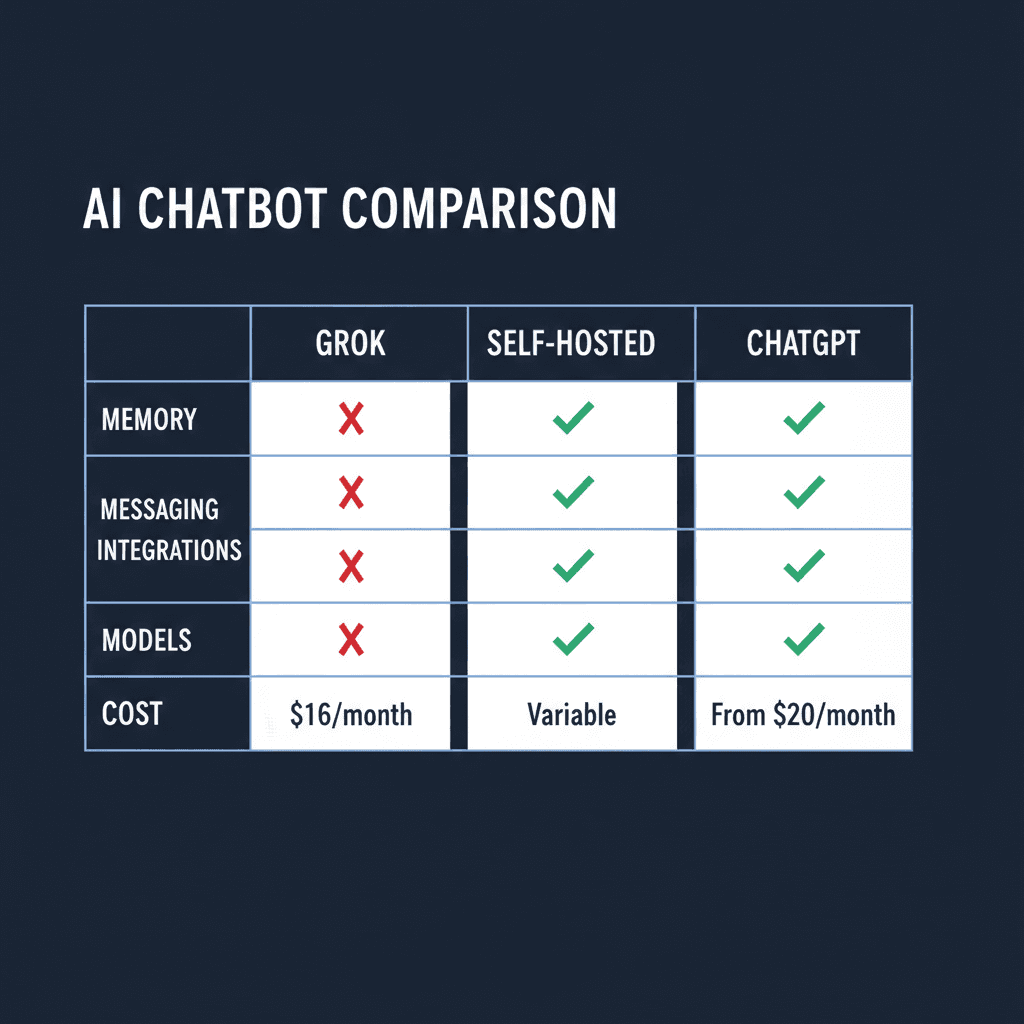
The table makes the tradeoff clear. Grok wins on X data access and multi-agent API convenience. Self-hosted wins on everything else. ChatGPT GPTs sit in the middle -- better instruction limits than Grok but the same deployment and integration constraints.
When Grok IS the right choice#
Grok custom agents make sense in three scenarios, and dismissing the platform entirely would be intellectually dishonest.
X/Twitter-centric workflows. If your primary use case involves monitoring social conversations, tracking brand mentions, analyzing sentiment across public posts, or compiling competitive intelligence from X, Grok has a structural advantage. No API key management. No rate limits beyond your subscription tier. No third-party scraping tools that break when X changes their frontend. The firehose access is real and genuinely valuable.
Quick prototyping and experimentation. If you want to test whether a particular agent persona works before investing in infrastructure, Grok's five-minute builder is hard to beat. Create four agents with different instructions, test them against real prompts, and validate the concept before committing to a self-hosted deployment. The $30/month cost is effectively an R&D expense.
Multi-agent research via API. The OpenAI-compatible API with 2-million-token context and support for 4-16 parallel agents is genuinely useful for researchers and developers building multi-agent systems. If you're studying agent coordination, emergent behaviors, or multi-agent task decomposition, Grok's API is competitive infrastructure at a reasonable price point.
When to self-host instead#
The majority of builders end up self-hosting. Not because Grok is bad, but because most real-world agent use cases require capabilities Grok doesn't offer.
You need your agent in a messaging app. This is the most common reason. People don't want to visit a website to talk to their agent. They want the agent in Telegram or Slack, where they already spend their day. The behavioral difference is significant -- dashboard agents get used a few times per week. Messaging agents get used multiple times per day. The people who switched from ChatGPT to a dedicated agent overwhelmingly cite "it's in Telegram" as the reason engagement went up.
You need memory that persists. An agent without memory is a chatbot with a costume. The moment you want your agent to remember your projects, your preferences, your team structure, your communication style, or anything from yesterday's conversation, you need persistent storage. Self-hosted agents on OpenClaw use SQLite to maintain context across every session. Over weeks and months, this compounds into an agent that genuinely understands your context. Grok resets every time.
You need integrations beyond X. Email triage. Calendar management. CRM updates. Notion page creation. Slack thread summaries. GitHub issue tracking. If your workflow spans more than X/Twitter, Grok can't close the loop. Self-hosted agents connect to whatever your work requires.
You want model flexibility. The AI model landscape shifts quarterly. Claude excels at certain reasoning tasks. GPT leads on coding. Gemma runs on-device for privacy. Llama is free for cost-sensitive deployments. Locking yourself to a single model provider is a bet that xAI will always have the best model for your use case. Self-hosted agents let you route different tasks to different models based on what works best.
You care about cost at scale. SuperGrok costs $30/month for 4 agents. A VPS running OpenClaw costs $5-15/month for unlimited agents. If you're running agents for a team, a business, or multiple clients, the cost difference compounds quickly. The people running agents as a side hustle on Telegram aren't paying $30 per agent per month -- they're self-hosting at a fraction of the cost.
The decision framework is simple. If X data is your primary input, use Grok. For everything else, self-host or use a managed platform that handles the infrastructure for you.
Frequently asked questions#
How do custom Grok agents work?#
Grok custom agents are created through xAI's builder interface at grok.com. You define a name, role, and up to 4,000 characters of instructions. The agent then responds according to those instructions when you interact with it on grok.com or the X app. Agents have native access to X/Twitter data but cannot connect to external services, deploy to messaging platforms, or maintain memory between sessions. SuperGrok subscribers ($30/month) get 4 custom agents; Heavy subscribers ($300/month) get 16.
Does Grok allow individuals to create AI agents?#
Yes. Any SuperGrok subscriber can create up to 4 custom AI agents through the Grok builder interface. The feature launched on March 4, 2026. Free Grok users can interact with agents others have created but cannot build their own. The builder is designed for non-technical users and requires no coding.
How to build a custom AI agent that runs 24/7?#
Building an always-on AI agent requires deploying to a messaging platform like Telegram, Discord, or Slack rather than relying on a browser-based interface. The standard approach is to use an open-source agent framework like OpenClaw, configure your agent's identity and skills, connect a messaging bot token, and deploy to a VPS or managed platform. Self-hosted agents run as persistent services, responding to messages at any hour without requiring a browser tab to be open.
Is it cheaper to self-host an AI agent or use Grok?#
Self-hosting is significantly cheaper for most use cases. A VPS running OpenClaw costs $5-15/month for unlimited agents with full customization. Grok's SuperGrok tier costs $30/month for 4 agents with a 4,000-character instruction limit. Managed platforms like RapidClaw offer a middle ground -- infrastructure handled for you at a lower cost than Grok with more capabilities. The cost advantage of self-hosting increases as you add more agents.
Can Grok agents connect to Gmail, Slack, or Notion?#
No. As of April 2026, Grok custom agents can only access X/Twitter data natively. They cannot connect to Gmail, Slack, Notion, Google Calendar, CRMs, or any external service. xAI has indicated external integrations are on their roadmap but has not provided a timeline. Self-hosted agents on frameworks like OpenClaw support 60+ integrations out of the box.
Ready to build an agent that actually runs 24/7 in your messaging app? RapidClaw deploys your personal AI agent to Telegram in under 60 seconds. No servers, no DevOps, full memory.
Give the busywork to an agent that remembers you
RapidClaw deploys your personal AI agent to Telegram & Discord in 60 seconds — it learns your world, briefs you every morning, and gets smarter every day. Credits included, no API keys, no servers.
Get started — from $19/moRelated Posts
Your AI Agent Stack Replaces $2,400/Month in SaaS. Here's the Math.
A typical 10-person team spends $2,400/month on SaaS subscriptions that AI agents can replace for under $200/month. Here's the line-item breakdown showing exactly which tools get replaced and what the agent alternative costs.

Grok Now Lets You Build Custom AI Agents — Here's How It Compares to the Competition
xAI launched custom AI agent building inside Grok. Users can now create specialized agents for research, monitoring, and automation. Here's what it offers, what it lacks, and where it fits.
OpenAI Agents SDK vs Claude Agent SDK: A Founder's Honest Take
Comparing OpenAI Agents SDK and Claude Agent SDK from a founder who uses both. Handoffs vs MCP, tracing vs control, and which one to pick in 2026.
Stay in the loop
New use cases, product updates, and guides. No spam.