
My Morning Briefing Agent Replaced 8 Apps I Used to Check Every Day
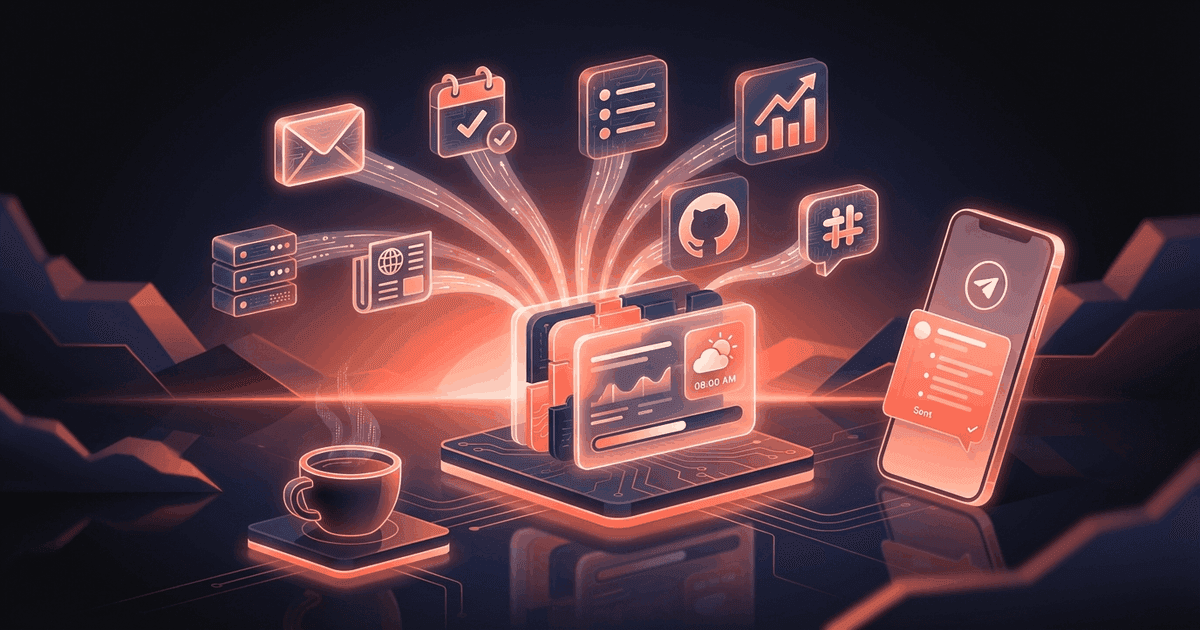
I used to open 8 apps every morning. Now I get one Telegram message at 7am with everything I need to know. Here's exactly what it looks like.
Reading about AI agents? RapidClaw gives you one that lives in Telegram & Discord, remembers everything, and runs your day — live in 60s, from $19/mo.
Get startedMy morning routine used to look like this: Wake up. Open Gmail (scan for fires). Open Google Calendar (what's today?). Open Linear (any blockers?). Open Stripe dashboard (new subscribers?). Open GitHub (any failed CI?). Open Google Analytics (traffic spike or crash?). Open server monitoring (anything down?). Open Slack (anything urgent overnight?).
Eight apps. Every single morning. Took about 25 minutes before I could start actual work. Some mornings I'd get sucked into one of them — a GitHub issue would pull me in for an hour — and my entire morning was gone before I'd even figured out what the most important thing was.
How do you get a clear picture of your day without app-hopping?#
Most of us have fragmented information across a dozen tools. Your calendar is in Google, your tasks are in Linear or Notion, your revenue is in Stripe, your code is on GitHub, and your infrastructure metrics are somewhere else entirely.
No single dashboard shows you everything. Notion dashboards come close but require manual embedding and still only show Notion data. Zapier can connect things but it's "if X then Y" — it doesn't synthesize. It won't tell you "your busiest day is today, and your CI is broken, so you should probably fix that before your 10am client call."
The real problem isn't access to information. It's synthesis. You need someone to look at all of it and say: "Here's what matters today. Here's what's on fire. Here's what can wait."
That's what a morning briefing agent does. It's the first message you see when you pick up your phone, and it replaces the first 25 minutes of your day.
What does a morning briefing agent actually do?#
Every day at 7am, my agent sends me one Telegram message. Here's a real example (with client names changed):
☀️ Morning Briefing — Monday, Feb 24

━━━ 🔴 URGENT ━━━
• CI failed on main (deploy blocked) — test_provision
  flaky, started 11pm last night
• Acme contract expires in 3 days — no renewal
  discussion started

━━━ 📧 EMAIL ━━━
• 7 unread important (3 from clients)
• Top: Sarah (Acme) re: Q2 budget — needs response today
• Top: AWS billing alert — $847 spike on prod account

━━━ 📅 CALENDAR ━━━
• 10:00 — Acme weekly sync (45 min)
  Prep: review SOW revision they sent Friday
• 14:00 — Team standup (15 min)
• 16:00 — Investor coffee chat (30 min)
  Prep: pull latest MRR numbers

━━━ 📋 PROJECTS ━━━
• Sprint progress: 7/12 done (58%)
• Overdue: "API rate limiting" (3 days late)
• Due today: "Dashboard redesign mockup"

━━━ 💰 REVENUE ━━━
• MRR: $1,247 (+$39 from yesterday)
• New subs: 1 (Pro plan)
• Churn: 0
• 30-day trend: ↑ 12%

━━━ 🔧 INFRASTRUCTURE ━━━
• Pool: 4 warm / 2 active ✅
• Memory: 5.1GB / 7.6GB (67%) ✅
• LiteLLM: 5/5 models healthy ✅
• Yesterday's AI spend: $0.43

━━━ 🎯 SUGGESTED PRIORITY ━━━
Fix CI before Acme sync at 10am. The test failure
is blocking deploys and you have a dashboard fix
that needs to ship today. After standup, draft
Acme renewal email — 3 days is tight.
Notice that last section. It's not just dumping data at me — it's making a recommendation. The agent looked at my calendar, saw I have an Acme call at 10am, noticed CI is broken, and connected those dots to suggest I fix CI first so I can deploy before the meeting.
That synthesis is what you can't get from any dashboard. It requires understanding the relationship between different pieces of information.
When things are quiet, the briefing is short:
☀️ Morning Briefing — Saturday, Feb 22

All systems nominal. No urgent emails. No meetings
today. Sprint at 58% (on track for Tuesday close).

MRR: $1,208 | Pool: 5/5 ✅ | Spend: $0.12

Enjoy your weekend. 🦞
I love this. On a calm day, I read one message in 5 seconds and I'm done. No need to open 8 apps to confirm that nothing is on fire.
How do you set this up?#
RapidClaw has a Morning Briefing template. Pick it, connect your sources (Gmail, Calendar, whatever you use), set your delivery time, and you're done.
The template comes pre-configured with the structure above, but you can customize everything. Want revenue first? Tell the agent. Don't care about GitHub? Remove it. Want a second briefing at noon? Add a cron.
Here's what the connection flow looks like:
1. Pick "Morning Briefing" template
2. Connect Gmail (OAuth — 30 seconds)
3. Connect Calendar (same OAuth)
4. Set delivery time: 7:00 AM
5. Activate → first briefing arrives tomorrow at 7am
Additional sources like Stripe, GitHub, or project tools can be connected later. The briefing includes whatever you've connected — start with email and calendar, add more as you go.
Who is this for?#
Founders and indie hackers who wear every hat and need to know the state of everything before the day starts. Consultants managing multiple clients who need a single view across all engagements. Engineering managers who want to know about broken builds before their team tells them.
Basically, anyone who currently opens more than 3 apps in the first 30 minutes of their day. If your morning starts with context-gathering, this replaces that entire ritual with one message.
The people who love this most are the ones who feel anxious until they've "checked everything." The briefing kills that anxiety in 30 seconds instead of 25 minutes.
How much does this cost?#
Building this yourself means wiring together multiple APIs, writing integration code, hosting it somewhere, and maintaining it when APIs change. Most developers who try this spend a weekend on it and then abandon it when something breaks.
No-code tools like Zapier can pull from multiple sources but can't synthesize — you'd get 8 separate notifications instead of one intelligent briefing. And Zapier pricing for multi-step zaps gets expensive fast ($49+/month).
RapidClaw starts at $19/month. The Morning Briefing is one of the pre-built templates. Connect your sources, activate, done. AI credits included — no separate API key needed.
Frequently Asked Questions#
How many sources can the morning briefing pull from?#
There's no hard limit. The common ones are Gmail, Google Calendar, Stripe, GitHub, Linear/Notion, and server monitoring endpoints. Each source adds a section to the briefing. Start with 2-3 and add more over time.
Can I get briefings at different times?#
Yes. You can set up multiple briefings — a morning one at 7am, a midday check at noon, and an end-of-day recap at 6pm. Each can have a different focus. Some people use the morning briefing for everything and the evening one just for email and project status.
What if I don't use all those tools?#
The briefing adapts to whatever you've connected. If you only connect Gmail and Calendar, you get an email + calendar briefing. No blank sections or placeholder text for sources you don't use.
Does the briefing get smarter over time?#
Yes. After a few weeks, the agent learns your patterns. It knows that Monday mornings are heavier than Fridays. It knows which clients tend to send urgent requests. It starts weighting the "Suggested Priority" section based on your actual behavior, not just generic rules.
Can my team members each get their own briefing?#
Each RapidClaw instance is personal — your agent, your connections, your briefing. Team members would each have their own account and agent. There's no shared team briefing (yet), but each person's agent can pull from shared sources like the same GitHub repo or project board.
Give the busywork to an agent that remembers you
RapidClaw deploys your personal AI agent to Telegram & Discord in 60 seconds — it learns your world, briefs you every morning, and gets smarter every day. Credits included, no API keys, no servers.
Get started — from $19/moRelated Posts
Stop Dropping Balls: How an AI Agent Manages My Multi-Client Priorities
4 clients, 3 internal projects, a team of 6. Something always slipped through. I built an AI agent that tracks everything and nudges me before things drop.
Why Every Knowledge Worker Needs an AI Research Assistant in Telegram
An AI research agent that searches, synthesizes, and delivers structured briefings to your Telegram. Research that used to take hours now takes minutes.
How AI Agents Can Manage Your Project Board From Telegram
Your project board is stale. Tasks are stuck. Nobody updates status. Here's how an AI agent does bidirectional project sync from Telegram.
Stay in the loop
New use cases, product updates, and guides. No spam.